

-
Summary
-
Materials
-
Instructions
-
Troubleshooting
-
How It Works
-
How to Order
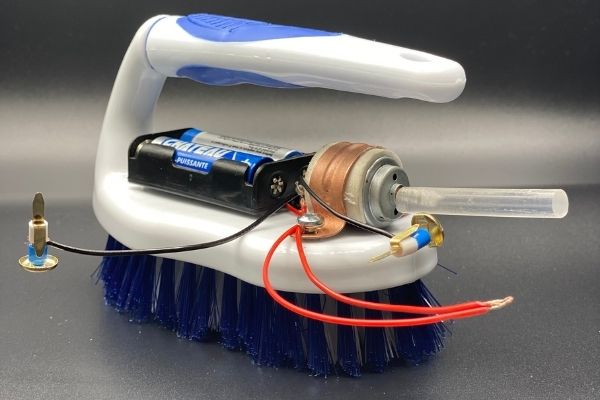
Turn a brush into a robot! BrushBots are easy and fun to build and race. The tiny vibrating motor turns the bristles into thousands of little legs, then they scoot like crazy bugs. This amazing hands-on experience allows students to experiment with trial and error, learn from their mistakes, and understand the potential gaps between theory and practice.
Age range: 9 -14
Project time: 60 – 90 minutes
Area: Robotics, Engineering
Key concepts: Simple Electrical Circuits

Your kit includes:
- AA batteries (2)
- 2xAA battery holder
- 3 volt DC motor
- Scrub brush
- Glue stick, fasteners, and beads
- 2 Screws
You will also need the following supplies (not included in the kit):
- Electrical tape
- Square head screwdriver
- Scissors
- Optional: Materials to decorate your robot (googly eyes, pipe cleaners)
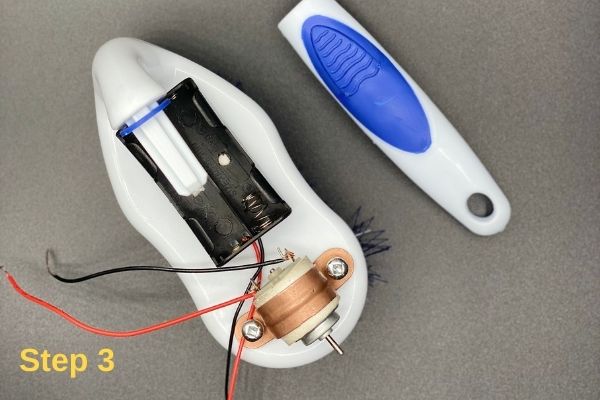
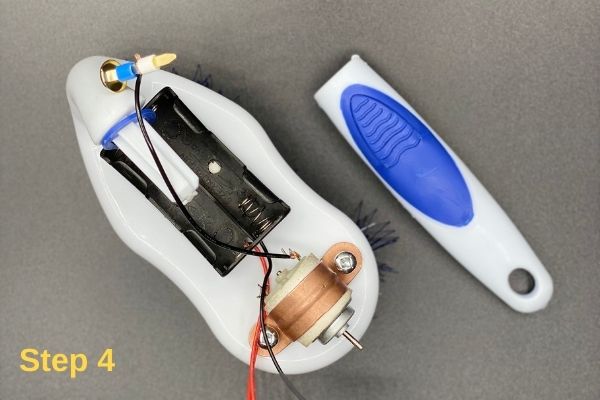
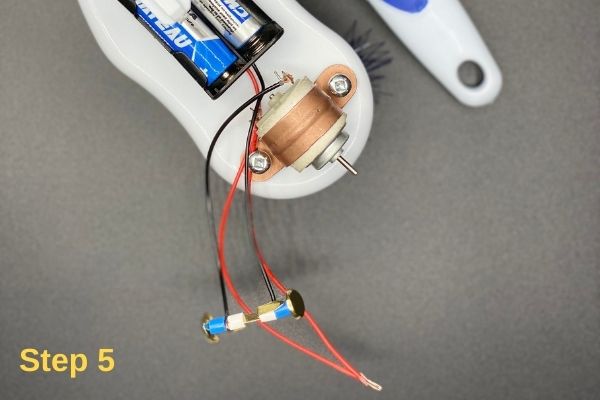
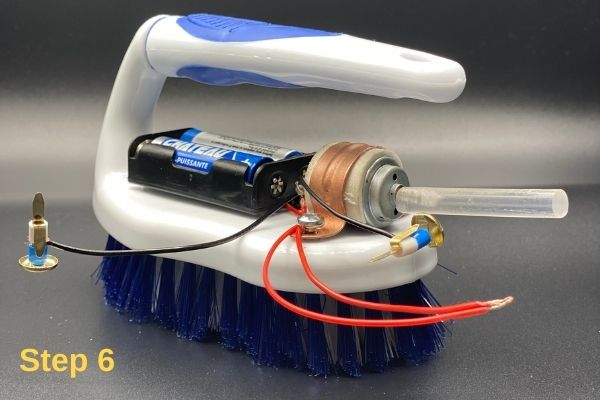


Follow these troubleshooting tips when using your Brushbot:
- If your Brushbot stops moving suddenly, check to make sure that one set of wires did not come loose. If you did not twist the wires tightly enough, the vibrations may cause them to come apart. If necessary, take off the tape, tightly re-twist the wires, and then reapply tape.
- As your robot wobbles around, some pieces may fall off. If necessary, use more tape to reattach them.
- Always turn your robot off when not in use to help conserve battery power.
When you turn the motor on, it makes the robot vibrate and move across the table. This happens because you attached an off-center weight (the glue stick) to the motor’s spinning shaft. If you removed the glue stick, the robot would not vibrate at all. This is the same concept used to make video game controllers, electric toothbrushes, and cell phones vibrate; they have little spinning motors with weights inside!
Your robot probably did not move in a straight line. In fact, it probably buzzed all over the place, and crashed into things! This is because your Brushbot’s movement is random. There is no computer “brain” telling the robot how to steer. More-advanced robots rely on computer programs to help them avoid crashing into things.
This STEM (science, technology, engineering and mathematics) Kit is an amazing gift for students at age of 9-14. It is a wonderful hands-on experience which help them learning by doing. It involves the process of teaching students how to observe things around them and ask questions. In hands-on learning, students gain knowledge from performing activities with their hands rather than receiving information from books or lectures.
You will have the access to the free mini course “Build A Brushbot” and receive the “Certificate of Completion” after finishing the model throughout the course.